
Below you will find a list of Joomla Twitter Tools. This is not a long list, I have tried out most of the available Twitter Tools for Joomla, which has made this list become a hopefully useful one. The modules and plugins listed here are a personal collection of those Joomla Twitter Tools I think work best for a general Joomla installation. Should you know of any more Joomla Twitter Tools that you might want to see listed here, or you want to comment this page, please use the comment form at the bottom of this page.

JP Latest Twitter Update
JP Latest Twitter Update
This Twitter module shows you a nice fancy box with your latest twitter updates. Very simple configuration; Just put in your Twitter username in the module and the amount of updates you want the module to show. That's it.
You can download it at: Joomla Poetry
JP Twitter Icon

This module fits nicely in any website. It uses an absolute position and can be put on left or right top or left or right bottom of your website. In the configuration you have a choice of 10 lovely pre-defined images and you can even define an image url yourself. You set your username in the link url and it will allow Tweople to follow you. Even though this is a tiny tiny little icon, it has a whole lot of configuration settings. Very properly done and a very nice addition to your website when you want a good looking follow me button!
You can donwload it at: Joomla Poetry
Twitter Ticker
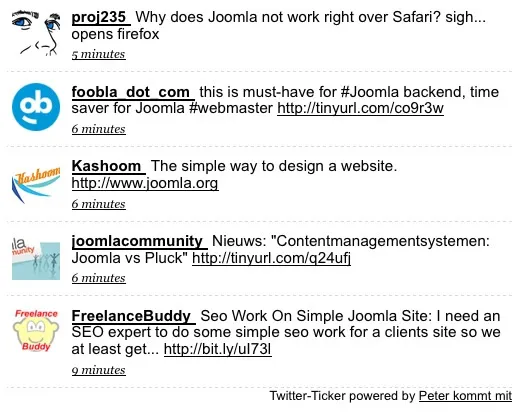
Twitter Ticker
With this Twitter module you can display all tweets containing a search on Twitter. In the module configuration you can define the searchword, set it to follow you template's CSS style yes or no. You can set the amount of tweets to display. You can configure show user pictures, show user, language of tweets to show, server time offset. In short a very nice and versatile Twitter module to display a Twitter search on your website.
You can download it: here
Tweets Module

Tweets Module
A simple yet ingenious module to show your latest tweets, or tweets of you and your followers. The number of tweets that will be shown can be configured in the module. You can also configure to show or hide username and picture and parse links yer or no. You can use your template's CSS style sheet or set it to use Tweets modules CSS. Very simple in use and doing what it is for, showing tweets. Just put in your Twitter username and password and you are good to go.
You can download it at: vanelkdijk.nl
Twitter Status
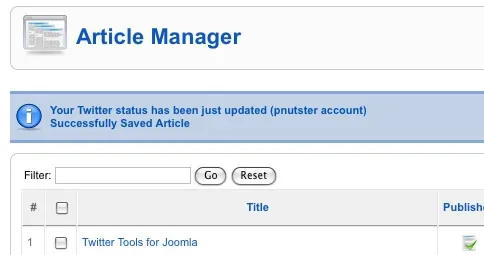
Twitter Status
This is a Joomla Plugin and it sits very much at the background and you wouldn't even know you installed it. Until you write and save a new article in Joomla! When you configure your Twitter Status plugin with your Twitter username and password and set the sections and categories (leave blank for all) where the plugin should update your twitter status for, it's done. From that moment on every article you write in Joomla will become a new Tweet! As mentioned in the background but VERY powerful indeed!
You can download it at: tomasz-dobrzynski.com
Twitter Feed
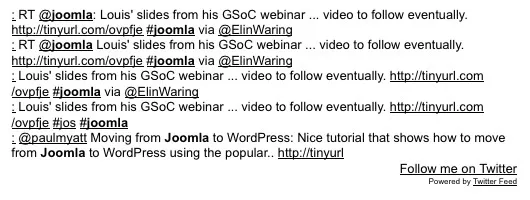
Twitter Feed
A versatile Joomla Twitter Module, that can not only show your latest Twitter Feeds, but also show a search bases on searchword or hashtags. You can show Tweets in different ways or only show tweets that have links. A nicce feature is that you can set the link text and the "Follow now" texts. A nice addition that many other modules do not have. In short a powerful one!
You can download it at: gammablue.com
jTweet
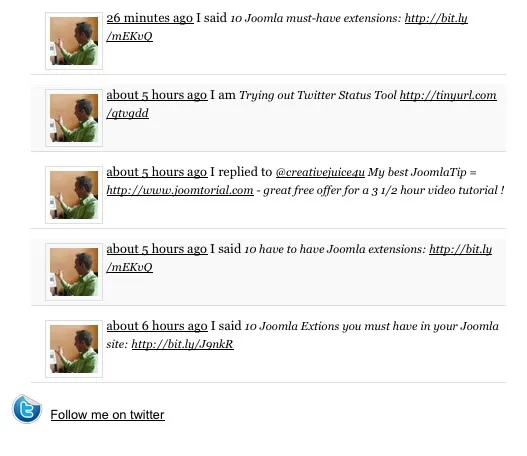
jTweet
Another Tweet module that can show your latest tweets or it can show a query based on the word(s) you put in the module's configuration. Graphically I have to say this is a good looking one. In the configuration you can set avatar size, tweet count, display link text and some nice text features like: "I said", "I replied", making it a more human looking list of tweets. Recommendable for showing your tweets on your Joomla pages in a nice and graphical way.
You can download it at: Joomla Bamboo
Twitter Follower Counter

A Joomla Twitter Module that not only acts as a Follow me button, but also displays the amount of Twitter followers you have in the button. On the website they offer the PSD graphic file, so you can edit the look & feel of the button. Simple configuration: Username, password and Twitter RSS feed number, necessary for counting the followers (you can find that RSS on your twitter homepage right bottom).
You can download it at: joomla-labs.com
p8 Twitter
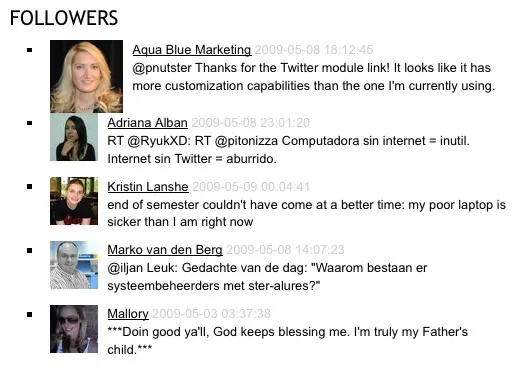
jp8 Twitter
The only Joomla Twitter Joomla Component I have encountered so far. Installation was problematic, but to save you any troubles, I have re-packed my own corrected version which installs correct and flawless. As mentioned the only Twitter Joomla component. It is pretty outstanding and unique in its kind. In the component you create "views". Views can be: Followers - Friends - Friends Timeline - Favorites - Public Timeline - User Timeline - Search Query. Once you created views, you can set up the module that is a separate install to show any view you created. So this component offers you 7 views and you could create 7 p8 modules to show the view you want. Very versatilie, graphically nice to look at. In short, the most versatile among all tools here since it is an all-in-one package.
You can download it: here (unzip package first!)
Joomla Tweets Module
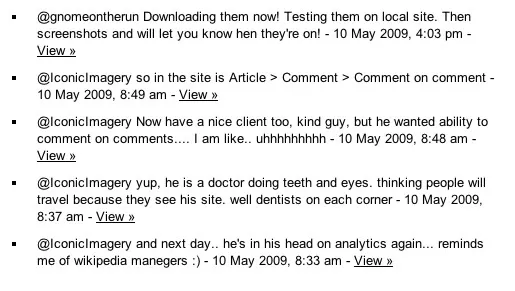
Joomla Tweets Module
A very effective Twitter module that shows the latest user Tweets in your website. Quick and easy configuration. Basically fill in Twitter username and amount of tweets to show. Also has a nice caching option. And what many modules left out, a module class suffix field. If you want to show your Tweets in a quick way, this is the module to get.
You can download it at: gnomeontherun.com
Joomla Tweet This

Have scavenged the net, but haven't come across a Tweet This module for Joomla. But here it is thanks to Gnome On The Run. An effective Tweet This button in a module. Configuration of the module allows a Tweet prefix, a choice of your favorite URL service to use for shortening your url. Number of items to tweet. 12 Tweet This buttons are in the package. The buttons are nice! In our website we have incorporated this Tweet This button module on the right top of our news pages.
You can download it at: gnomeontherun.com
Foobla Twitter Application
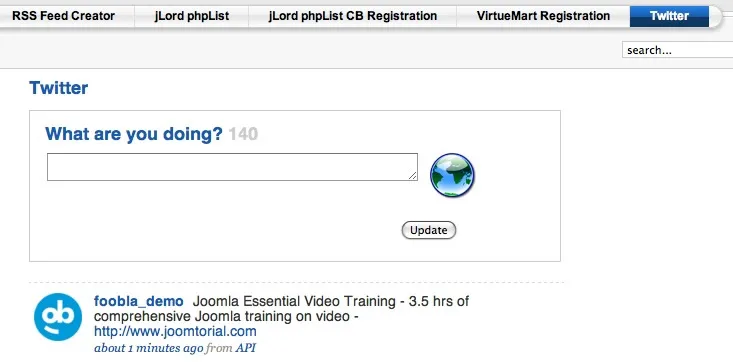
Foobla Twitter Application
After weeks of searching, finally there is a genuine Joomla Twitter component. Not just like 99.9% of all Twitter components, modules and plugins that simply list entries or postings from Twitter accounts. Nope, this time there is a realtime, "write your Tweet from your Joomla Site" tool! As far as I have been able to find out, this is a one-of-a-kind Joomla component that makes your Joomla site become a Twitter Desktop Client. Certainly worth buying!
You can download it at: here
BizTweet Lite
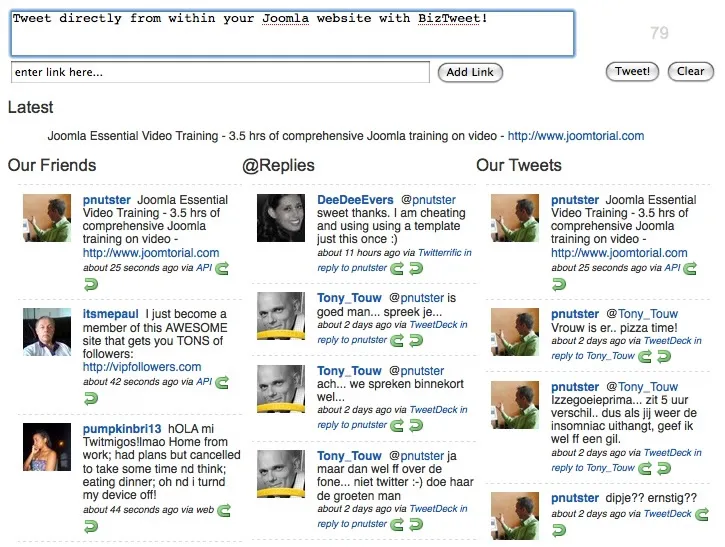
BizTweet Lite
Twitter and Joomla are growing! A good example of a great Joomla-Twitter implementation is BizTweet Lite. Formerly it was only available as a commercial extension, but the developer has decided to create a Lite version. And what a beauty he has made.
Recently I was looking how to make my site have the possibility to write the 140 character tweets from my site. BizTweet Lite came to the rescue! Want to make your Joomla website a Twitter Desktop/ You have to get BizTweet Lite!
You can download it: here